In 2024, I bought another Memories III to replace the one that was destroyed in an accident. Until then, the crashed car was known as Project Oberhausen. The replacement project car also came from Germany and was named Project Schömberg.
The Mazda 6 as a donor
As part of that project, I began experimenting with parts from the first generation of the Mazda 6. For those in the know, this refers to the GG model. The GF was still the Mazda 626, and the second generation of the Mazda 6 is known as the GH. The GG models were produced from 2002 to 2008. In September 2005, this model received a facelift. That facelift also brought about several technical changes. The significance of those changes will be discussed further below.
If we look at the technology behind cruise control on the GG models, we see that prior to the facelift, the system still used a throttle cable. After the facelift, the throttle cable was eliminated. It was replaced by an electronic throttle body. From that point on, Mazda used a drive-by-wire system. A sensor measures the position of the accelerator pedal and transmits that information to the engine control unit. The engine control unit then determines how much air and fuel are needed. It then electronically adjusts the throttle valve’s position.
If you’re curious about 10 reasons to install the Mazda 6 cruise control system on your NA or NB Miata, MX-5, or Eunos Roadster, I recommend watching this video.

Pre-facelift parts
Since the NA and NB Miata, MX-5, and Eunos Roadster all use a throttle cable, only the pre-facelift Mazda 6 cruise control system is relevant to us. The major advantage of that system is that it is an integrated solution. It replaces both the original cruise control module and the vacuum-operated actuator.
Compared to the original cruise control system of the NA and NB generations, the Mazda 6 solution uses far fewer parts. No modification to the accelerator pedal is required, as the actuator cable connects directly to the throttle body. Additionally, a vacuum connection from the engine is no longer needed. This is a benefit for engines equipped with a turbocharger or supercharger. Those engine can lack vacuum in the intake manifold, and therefor can only an electronic actuator.
Steering wheel controls
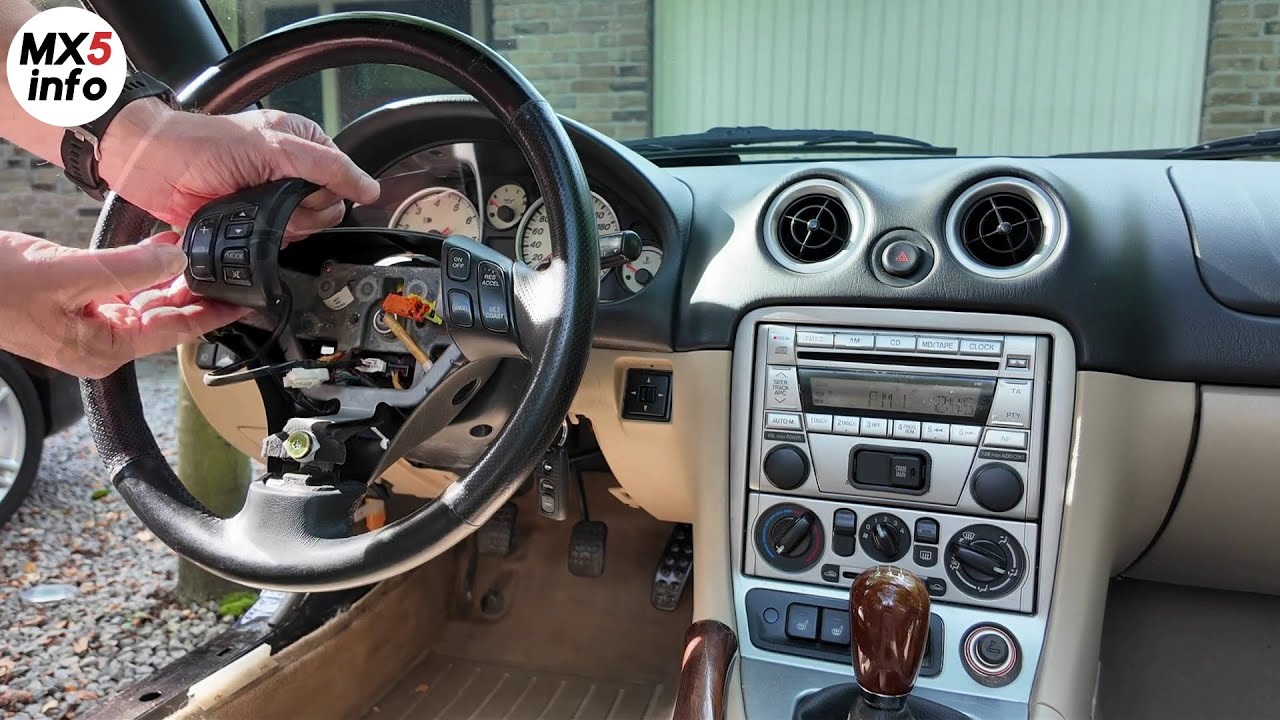
To operate the cruise control system, the Mazda 6 has several buttons on the right side of the steering wheel. Steering wheel buttons were never standard on the NA and NB generations, but there are options available.
There are essentially 5 different solutions. I’ll show you those in this video

Mazda Protege switches
If you’d like to use the Mazda Protege buttons, I recommend watching this video as well to see how to customize the buttons and attach them to the original steering wheel.

Audio switches?
When you want to control the audio from the steering wheel in addition to using the cruise control buttons, watch the following video to see what your options are.
Sourcing the parts
In this video, I’ll show you the Mazda 6 cruise control parts you can use and where to find them on the car:

Upgrading the clock spring
If you want to use the steering wheel and airbag from an MX-5 NC, Mazda 6, CX-7, or RX-8 in an NB, you’ll also need a different clock spring. That clock spring connects the buttons on the steering wheel to the car’s wiring harness.
If you’d like to learn more about this, I recommend watching this video:
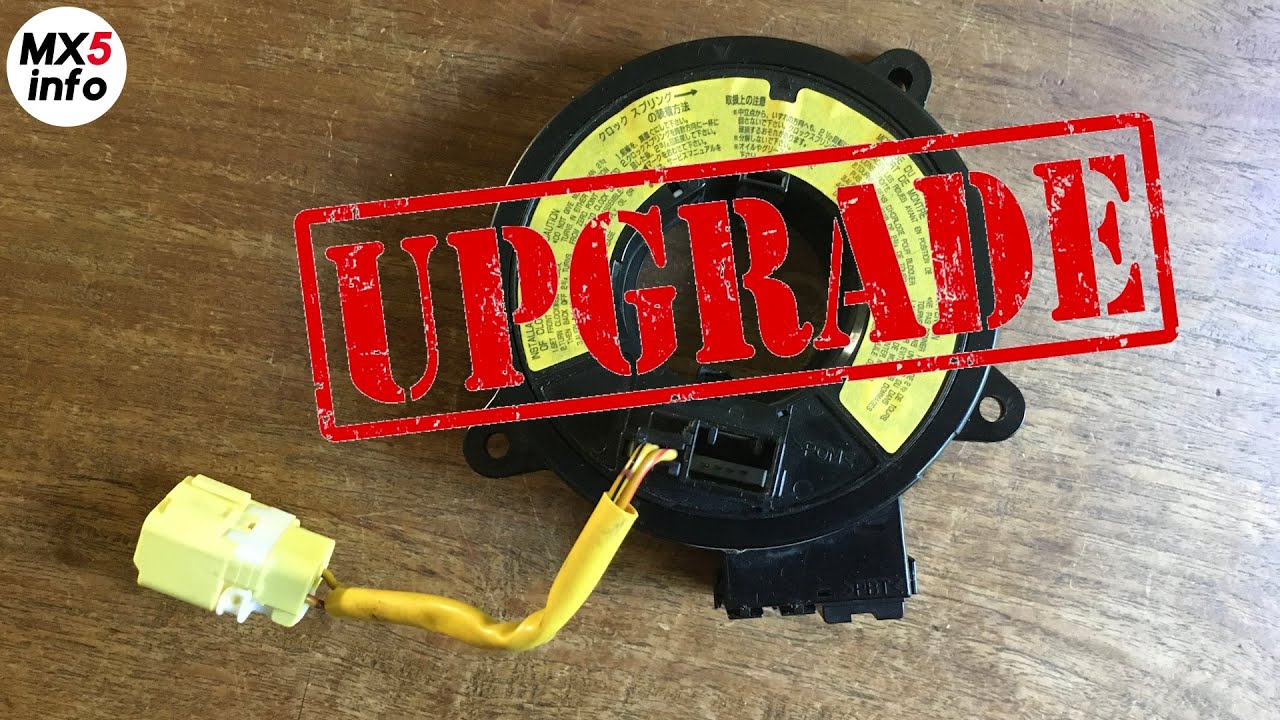
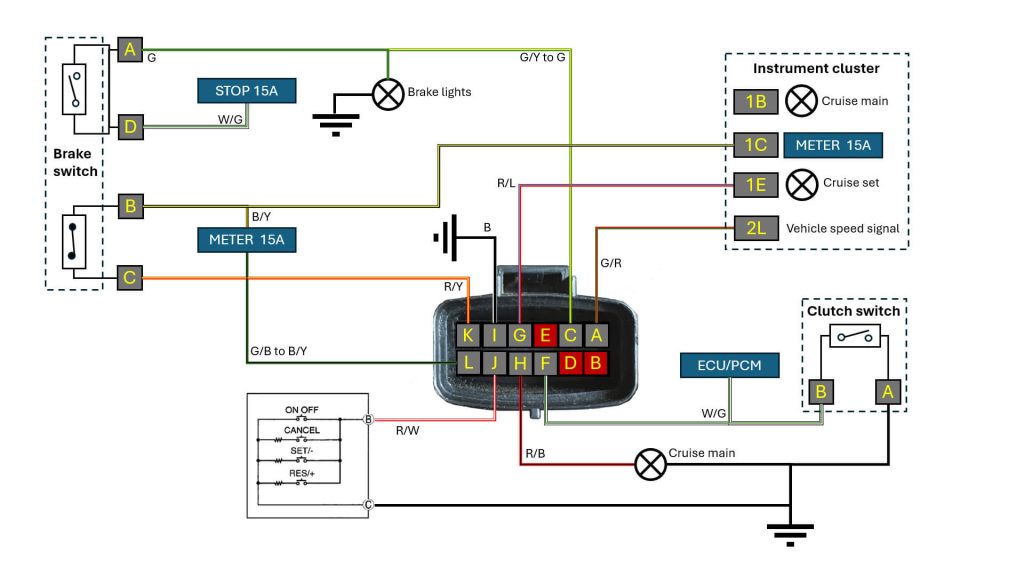
In addition to the Mazda 6 cruise control parts, you’ll need a few extra parts. These include a replacement brake switch and some indicator lights that show you the system’s status. You’ll also need information on how to connect the system electrically.
How to wire the system
You can find instructions on how to wire the Mazda 6 cruise control system in this video:

For your convenience, the complete wiring diagram is also shown again at the bottom of the page.
Testing the system components
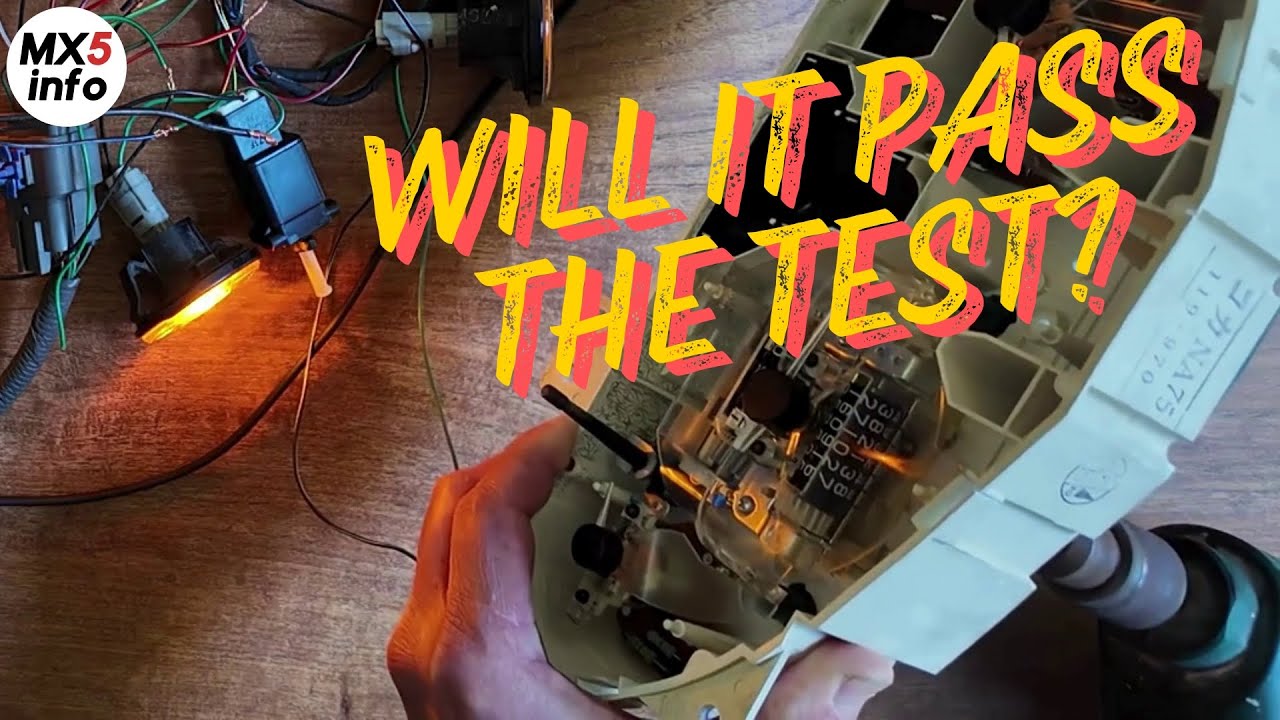
To minimize the risk of problems at the end of a day of installation, I prefer to test all components before installing them on the car. So I also tested the Mazda 6 cruise control unit/actuator beforehand. I did this to verify that the vehicle speed signal from the NA is compatible with the Mazda 6 system.
To activate the diagnostic mode, hold down the Resume button while pressing the on/off switch. After a few seconds, the diagnostic light should come on.
You can see the entire process and the corresponding codes in this video:
Custom brackets
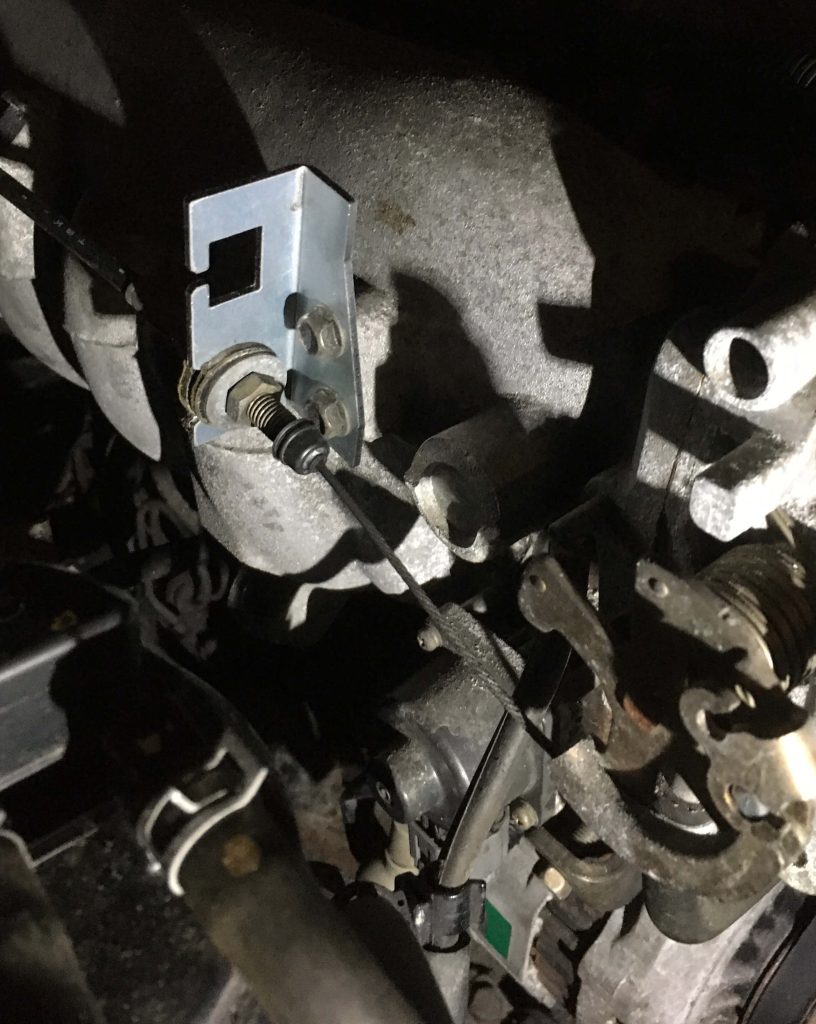
The unit/actuator needs to be installed in the engine compartment. In my case, this is a left-hand-drive NB/NBFL. I’m using the location reserved for the original actuator. The length of the actuator cable turns out to match the distance to the throttle valve. I haven’t yet been able to determine the alternative locations for the NA and for the right-hand-drive models.
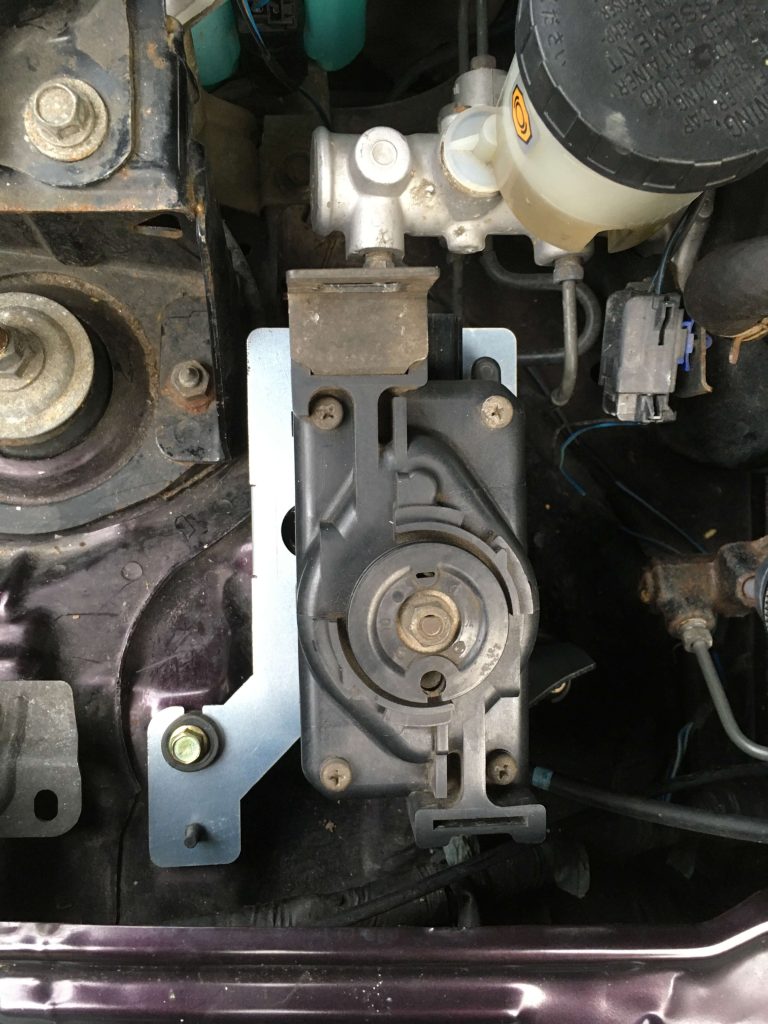
The bracket near the throttle valve is being replaced to ensure that both the throttle cable and the actuator cable can be properly installed.
Cable clamps
In the coming days, I’ll connect the wiring to the car and will be able to start testing the system on the car.
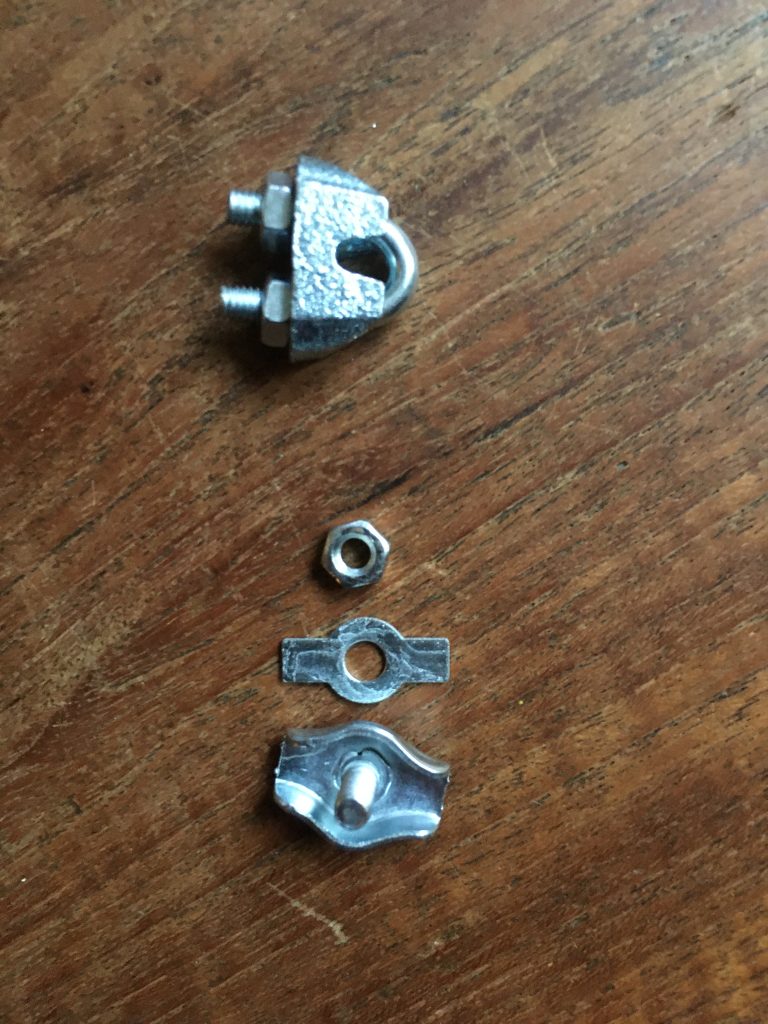
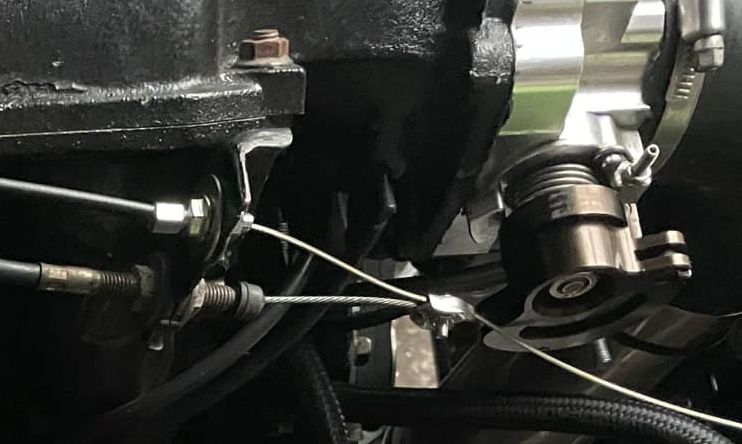
My plan is to connect the cables using the top clamp shown in the photo below.
An example showing the use of the lower type of clamp.
Here is the wiring diagram again.
Installing the system on the car
Eventually, I had to install the system on the car. You can see how I did it in the video below.

Misaligned?
After replacing the original steering wheel, it may be crooked when you’re driving straight. To explain how to fix this, I made the video below.

Alternative system components
In response to the questions I received via Facebook and YouTube, I’ve created another video to discuss the answers to those questions and to show you which combinations of components you can use to create the ideal setup for you.

Swapping steering wheels
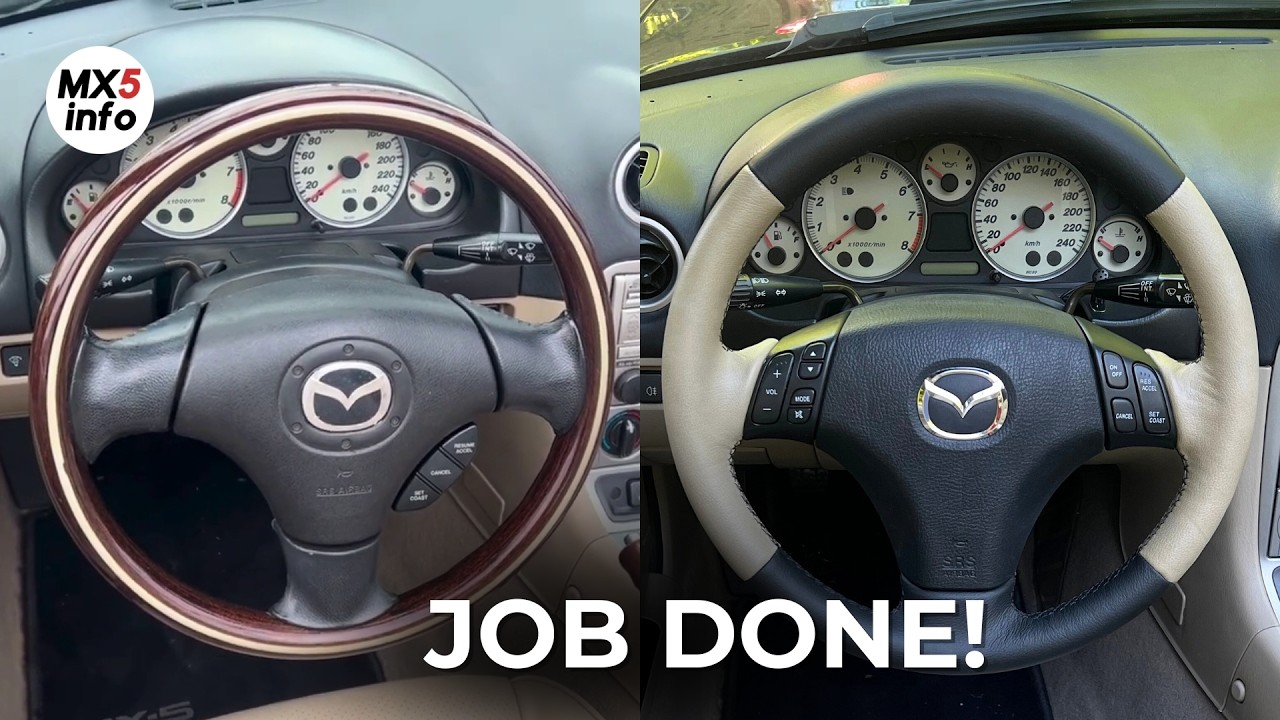
Since I had several steering wheels for the car and wanted to be able to switch them out easily, I set up the wiring accordingly. With a video showing just how easy it is to swap out the steering wheels, the experiment—and the project with this car—has come to an end. Below you’ll find the final video featuring this Memories 3.
Need help?
If you have any questions, you can reach me via the contact page
If this information has been helpful to you and you’d like to support my work for the MX-5 community, please consider subscribing to the YouTube channel. It costs just a small amount each month. It helps me continue to invest in developing new knowledge and experience that I can then share with you.
You can find more information about this here