Cruise control on the third-generation MX-5 is a completely different story than on the first two generations. This is mainly due to the transition from a throttle cable to an electronic accelerator pedal. The ECU (Engine Control Module) or PCM (Powertrain Control Module) determines, based on the signal from the accelerator pedal, the correct mixture of fuel and air. This means that control over the car’s speed lies with the ECU. There is no longer a need for a second cable to take over the operation of the throttle cable. Setting a speed for cruise control is done using buttons on the steering wheel, which signal to the ECU whether to accelerate, decelerate, or maintain a constant speed.
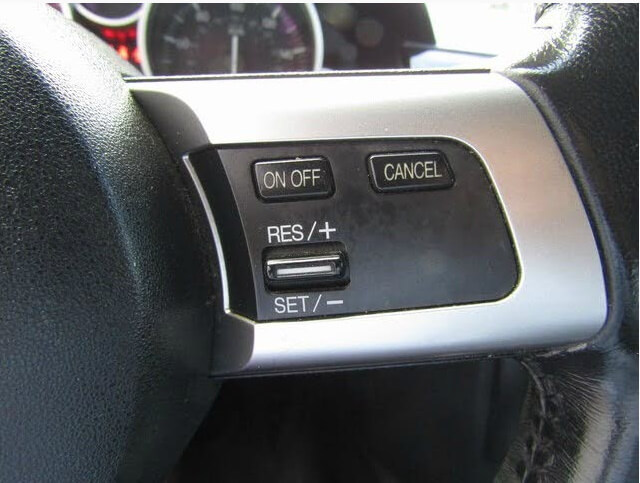
It wasn’t until the introduction of the NC facelift in 2009 that cruise control became an option in Europe. From that point on, customers could select this option for an additional €500, and the car was delivered from the factory equipped with cruise control. Of course, this feature had already been available in North America right from the launch of this third-generation MX-5. Software was added to the ECU to enable the cruise control functionality.
We distinguish between three versions of the NC. The version that came on the market in 2005 and was delivered through 2009 is referred to as the NC1. The version that followed, in 2009, with the first facelift, is the NC2. The latest version, introduced in 2012 with the second facelift, is known as the NC3. When retrofitting cruise control, the difference between the NC1 and NC2 is particularly important. The NC1 was sold in Europe with a 1.8- or 2.0-liter engine, and there is a significant difference there as well.
For those who want to add cruise control to their European NC, here is a summary of the differences:
- The NC1 does not have wiring for cruise control; the NC2 and NC3 do;
- The NC1 does not have cruise control buttons on the steering wheel; starting with the NC2, they are only present if the vehicle was equipped with them from the factory;
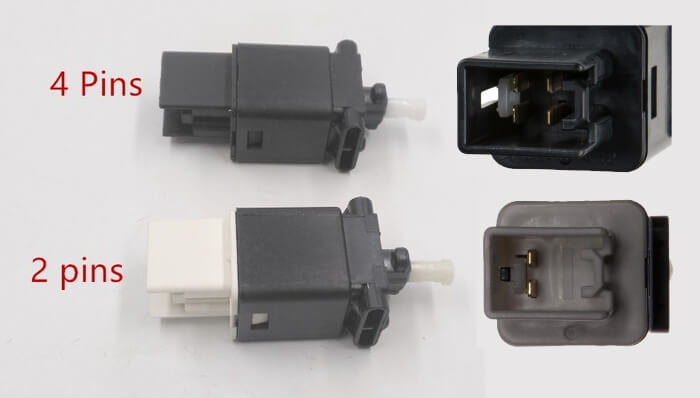
- The NC1 has a 2-pin brake switch, which is not compatible with cruise control; starting with the NC2, one might be present;
- The NC1 with a 1.8-liter engine does not have cruise control support in the ECU; starting with the NC2, it is present;
- The NC1 with a 2.0-liter engine does have cruise control support in the ECU; this is also the case with later NC models;
- The NC1 does not have a cruise control indicator light in the instrument cluster; this feature was introduced starting with the NC2.
To enable cruise control on the NC1 with a 1.8-liter engine, you’ll need an ECU from a later-model NC with a 1.8-liter engine or an update to the existing ECU. When replacing the ECU, two unique keys are required. If you use a cloned key—one that has the same number in the transponder as the original key—the process will fail and the car won’t start. This is because two unique key numbers must be stored in the ECU.
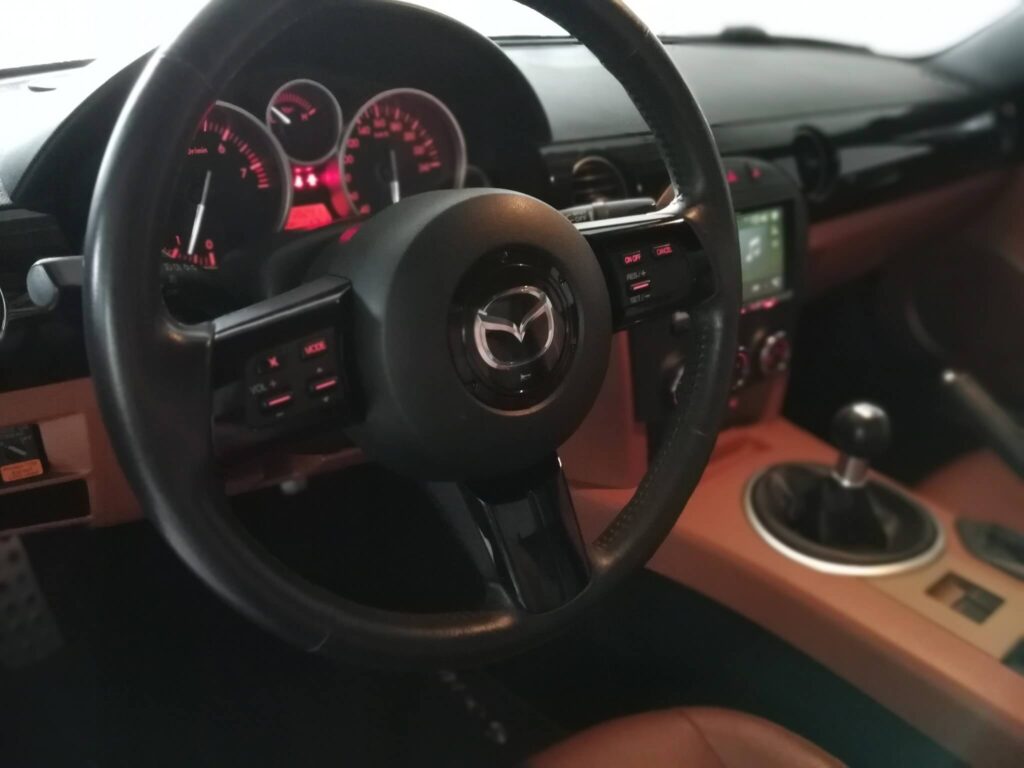
The cruise control buttons on the steering wheel are occasionally available new, but at a price of over €300, they are quite expensive. That is the main reason to look for used ones. Since few MX-5s of this generation were delivered with cruise control, the supply is also very limited. One advantage is that the Mazda CX-7, from its introduction in 2006 or 2007 through the facelift in 2009, was equipped with a steering wheel featuring the same buttons. Instead of silver-colored button bezels, the buttons had bezels in piano black.
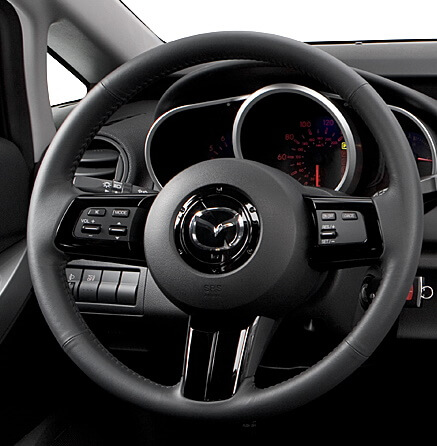
The selection in the Netherlands is very limited, which is why I’ve imported many steering wheels and buttons from abroad upon request. The CX-7 also has the correct 4-pin brake switch for cruise control on the MX-5. The difference is actually quite simple. The NC1 came standard with a brake switch that has 2 connections. When you press the brake pedal, those two make contact, and the brake lights come on. With cruise control, there are four terminals: two of them keep the brake lights on when the brakes are applied, and the other two break the circuit to signal to the cruise control software that the brakes are being applied, causing the system to pause. The 4-pin brake switch has an entirely black housing, while the 2-pin version is white where the connector terminals are located.
Installing cruise control on an NC is doable; it takes a couple of hours at most. In summary, here’s what’s needed for each version and engine type:
- NC1 with 1.8 engine: steering wheel controls, brake switch, wiring, and a replacement ECU or an upgrade to the original ECU;
- NC1 with 2.0 engine: steering wheel controls, brake switch, and wiring
- NC2 or NC3 with 1.8 or 2.0 engine: steering wheel controls, and possibly the brake switch.
NCs with an automatic transmission require different steering wheel controls, since the paddle shifters are also mounted on the steering wheel. Not recommended for cars without an automatic transmission, by the way, but I think that goes without saying.
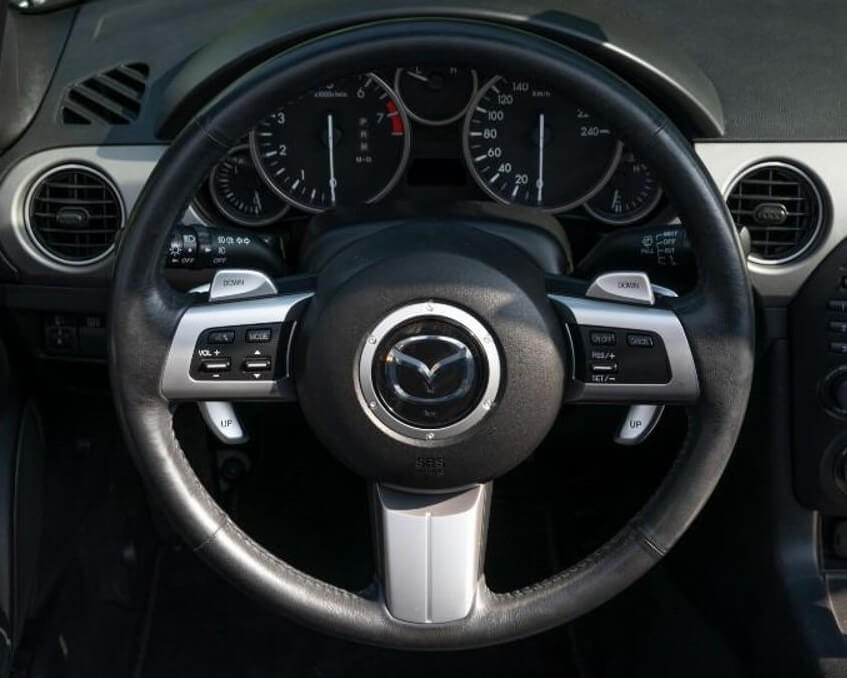
The piano-black knob trim can also be used on the NC as a replacement for the silver knob trim. I personally recommend this for NCs with a piano-black panel covering the dashboard.
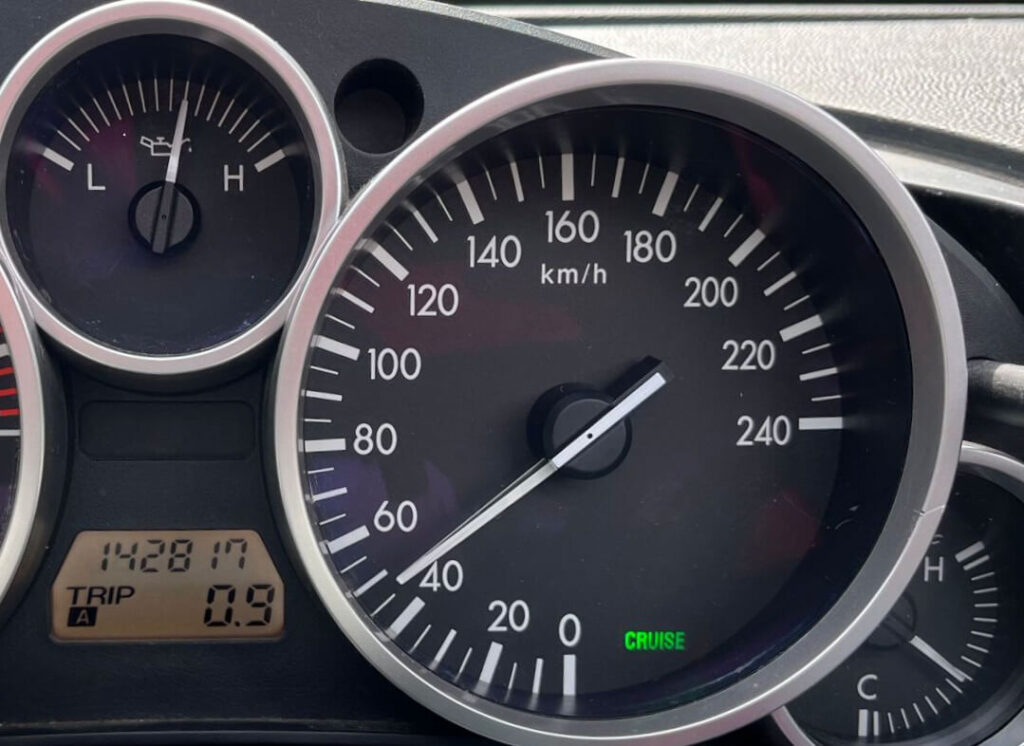
In the summer of 2023, there were some new developments that made it possible to activate a cruise control indicator in the instrument cluster of an NC1 as well. To do this, the cluster must be modified to solder in a number of missing LEDs and electronic components. The text “CRUISE” is then engraved onto the speedometer face using laser technology. Below is a photo of the final result.
In the video below, you can see what the process of installing cruise control looks like in general.
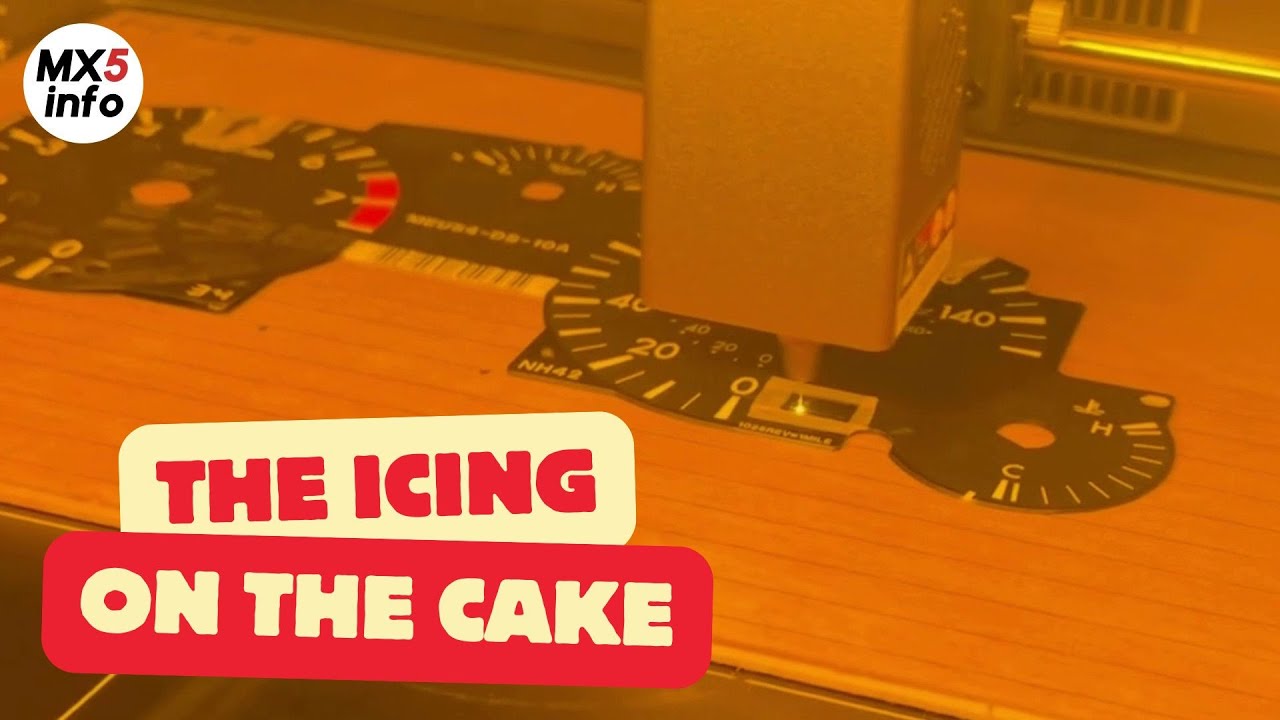
In the following video, you can see how the word “CRUISE” is engraved onto the speedometer face using a laser. This is only necessary on NC1 versions from regions where cruise control was not yet an option at that time.
If you have any questions, you can reach me via the contact page
If this information has been helpful to you and you’d like to support my work for the MX-5 community, please consider subscribing to the YouTube channel. It costs just a small amount each month. It helps me continue to invest in developing new knowledge and experience that I can then share with you.
You can find more information about this here