MX5info
  • Do It Yourself
    • Air conditioning on the NB2 Miata
    • Making Audio Buttons from Mazda Protege Cruise Control Buttons
    • Mazda 6 cruise control for the NA or NB Miata
    • Programming Keys and Remote Controls
    • Tired of droopy eyeballs?
  • Modifications
    • Audio
      • Audio controls on the NB steering wheel
      • Connecting the Wiring for the Rear Speakers in the MX-5 NB/NBFL
      • Speaker Upgrade in the NB2 Wind Deflector
      • Streaming audio and making calls using the stock radio
    • Convenience
      • A dual auto-down function
      • Audio controls on the NB steering wheel
      • Automatically dimming mirror
      • Displaying the ambient temperature on the NB1 clock
    • Lighting
      • LED rings in the taillights—how do you do that?
      • Side marker lights from a previous generation
      • Symmetrical taillights for the NBFL in 2 ways
    • Special
      • A dual auto-down function
      • Air conditioning on the NB2 Miata
      • Automatically dimming mirror
      • Displaying the ambient temperature on the NB1 clock
      • Is the low-fuel light still working?
      • Making Audio Buttons from Mazda Protege Cruise Control Buttons
      • Tired of droopy eyeballs?
  • Cruise Control
    • Cruise Control overview
    • Cruise Control NA Miata
    • Cruise Control NA MX-5
    • Cruise Control NB/NBFL MX-5
    • Cruise Control NC MX-5
    • Cruise Control Mazda 2
    • Cruise Control RX-8
    • Mazda 6 cruise control for the NA or NB Miata
  • MX-5 Fun Facts
    • Special Editions
      • 2002 Memories II
      • 2003 Silver Blues, Twins, Nevada, Classic Edition
      • 2004 Memories III
      • 2004 Murphy & Nye
      • 2005 Impuls
    • Differences Between the NB1 and NB2 Miata and MX-5
    • Why does the battery keep running out?
  • My MX-5s
    • My MX-5 overview
    • My first MX-5
    • Project Lübeck
    • Project Oberhausen
    • Project Schömberg
    • Project Silver Blues
  • About MX5info
    • About me
    • MX5info on YouTube
  • Contact
  • Nederlands

Cruise Control Mazda 2

by Jeroen van Dinther

Retrofitting cruise control on the Mazda 2 is doable.
Upon request, I looked into the options for adding cruise control to the second-generation Mazda 2. That’s the model produced from 2007 to 2014, which received a facelift in 2010. Cruise control is an option that came standard on only a small percentage of these cars. However, it appears that every Mazda 2 has the cruise control software built in. What’s missing are the buttons on the steering wheel, some of the wiring, and, in some cases, the correct brake switch. Additionally, cruise control was intentionally disabled via the factory settings for the car.

Different configurations

After further online research and experiments with several cars, it appears that there are differences in the configuration from the factory. For instance, between pre- and post-facelift models, as well as between trim levels. As a result, each case must be evaluated individually. This is needed to determine whether the wiring is complete, and whether the brake switch supports cruise control.
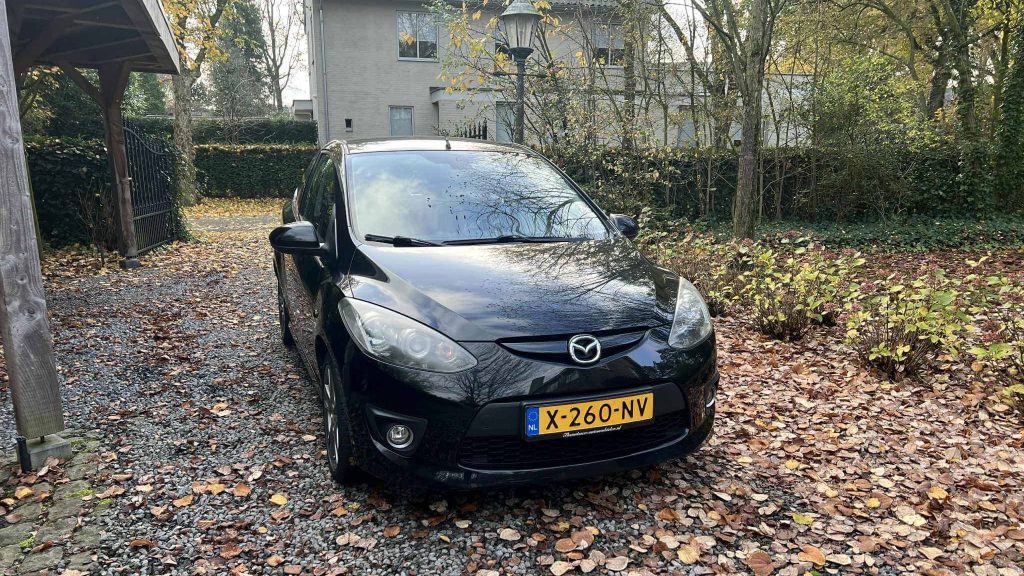
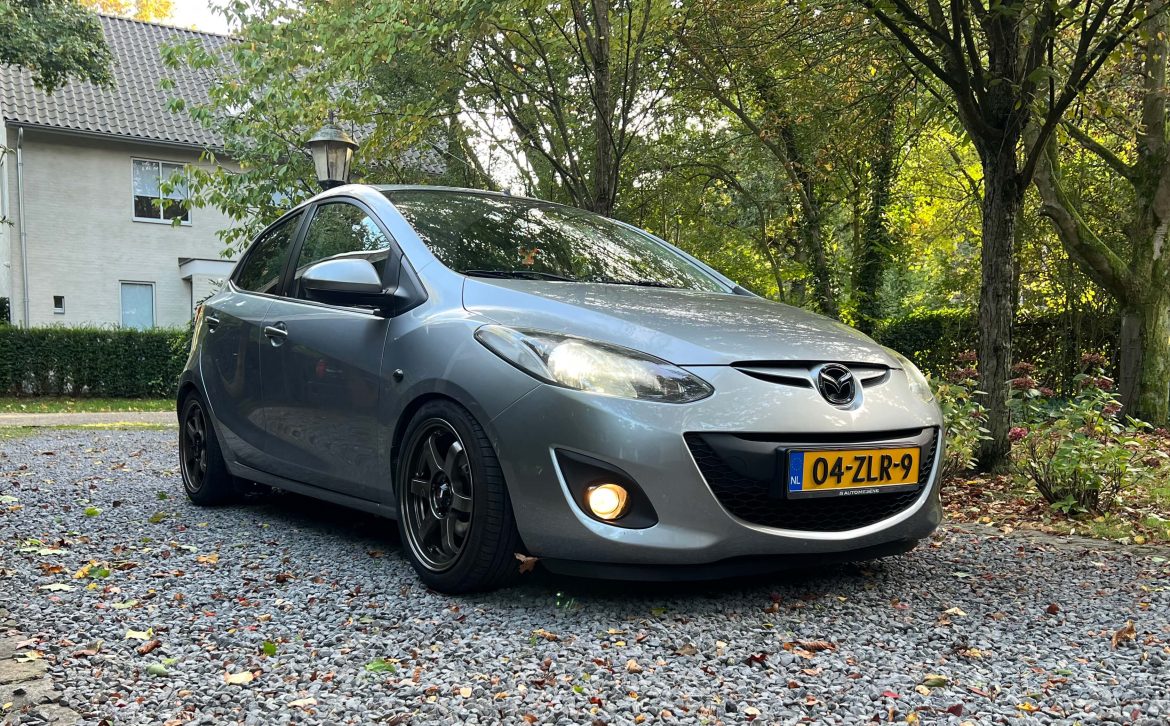
2009 Mazda 2

Steering wheel options

For the buttons on the steering wheel, it is best to buy a used steering wheel. The buttons are available for purchase separately, but then you’ll be missing the part of the steering wheel where the buttons are supposed to be mounted. These steering wheels aren’t easy to find—they’re hard to come by.
Mazda 2 steering wheel with cruise control switches

A more readily available alternative to the Mazda 2 steering wheel is the steering wheel from the second-generation Mazda 6.
You’ll also need the corresponding airbag. The connectors and their layout are the same as those for the Mazda 2.
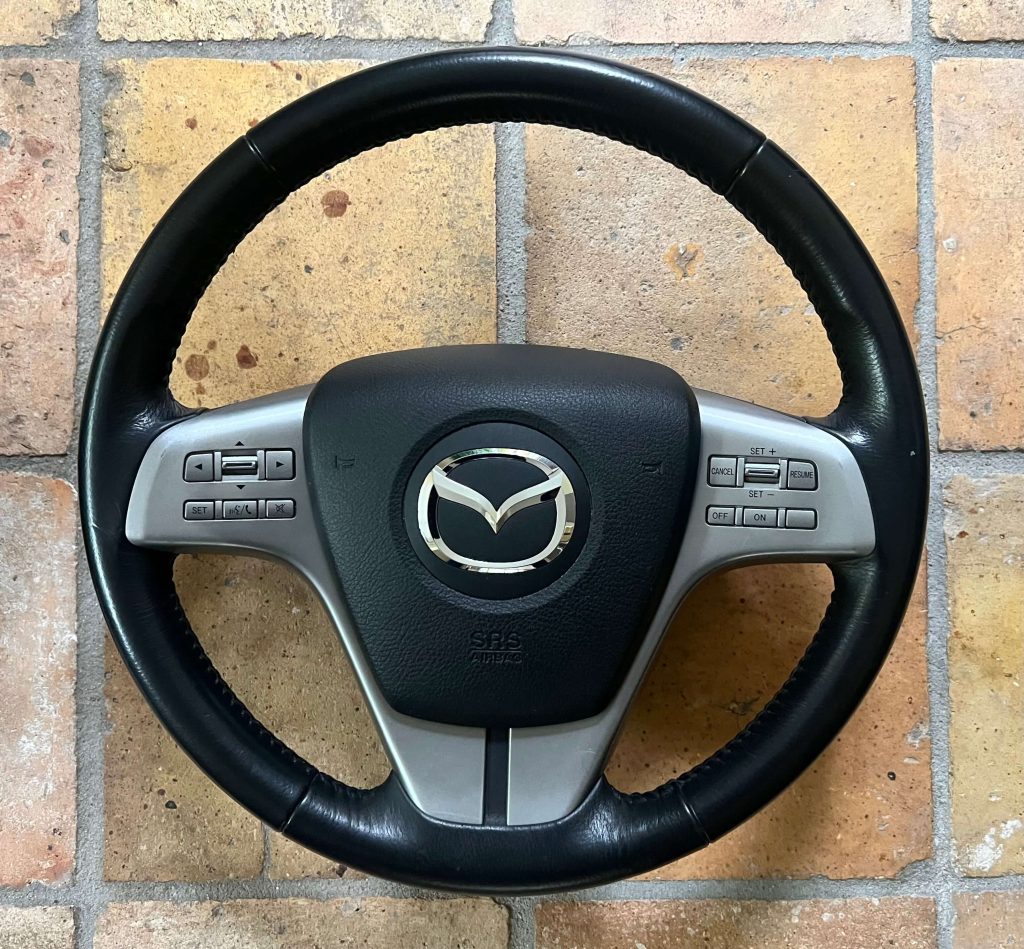
Second generation Mazda 6 steering wheel

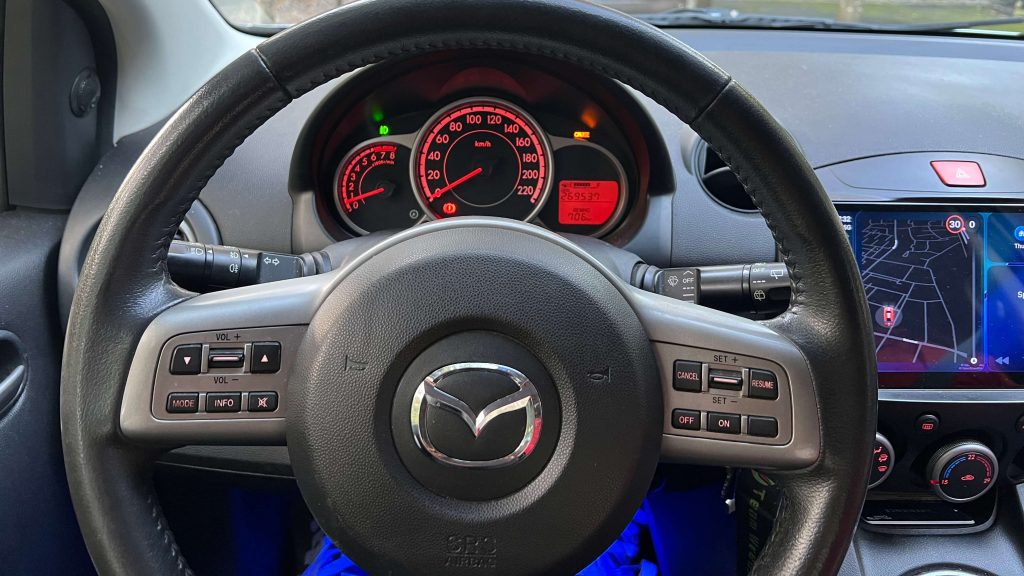
Once installed in the car, it looks like this:
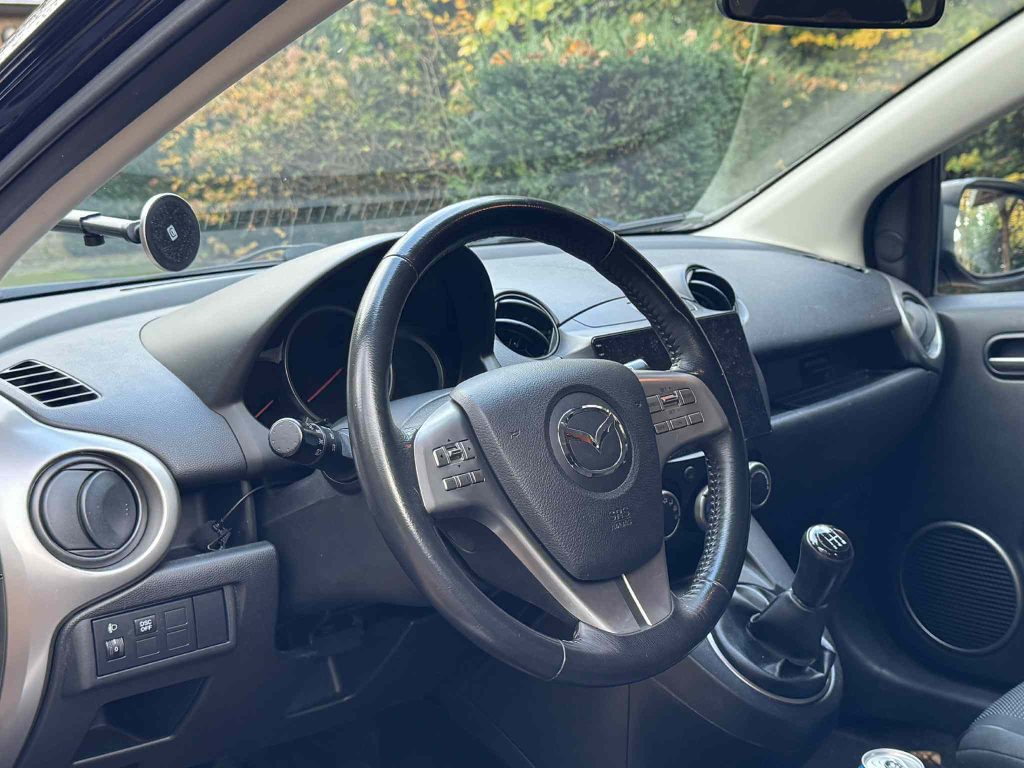
Second generation Mazda 6 steering wheel in Mazda 2

Factory settings

In all cases, it is necessary to adjust the factory settings. To do this, I use Forscan, a dual-speed OBD2 adapter for the CAN bus, and a Windows 7 laptop.
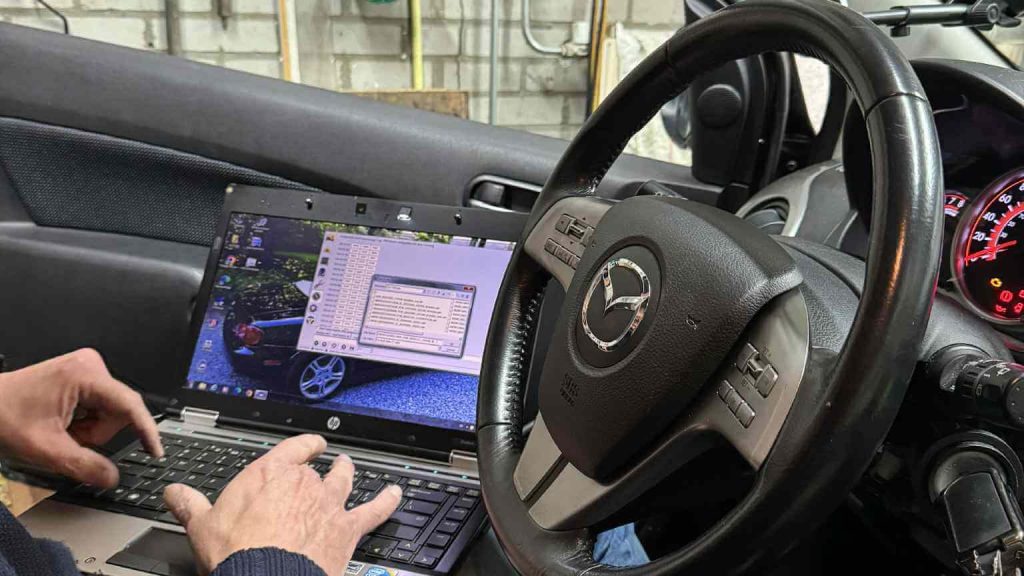
Using Forscan in a Mazda 2 to change the AsBuilt data

Missing wiring at the ECU

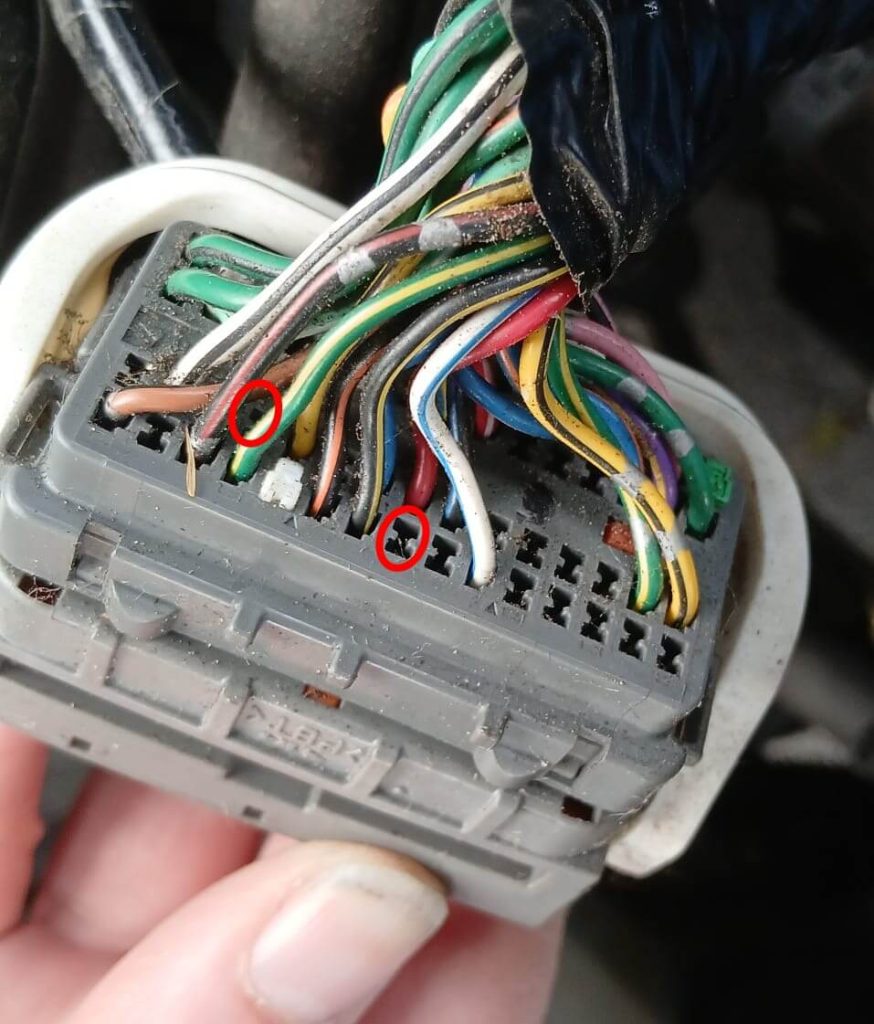
If there is no wiring in place to carry signals from the steering wheel to the engine control unit (ECU), then that wiring must be installed. Sometimes the wiring is present under the dashboard but not in the engine compartment. In other cases, the wiring is completely missing. Mazda has also used different connectors for the ECU. If you’re lucky, there will be white pins in the connector at the points where the wires need to be added. In other cases, Mazda has gone to great lengths to prevent the addition of wires. The openings in the connector are then sealed off. They must therefore be opened first.
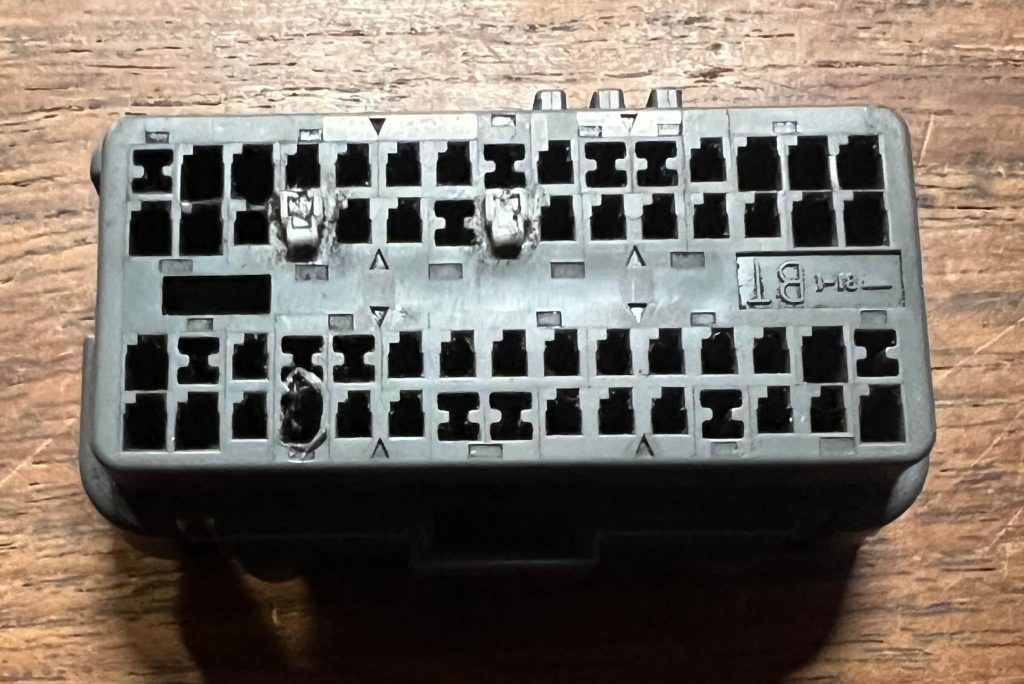
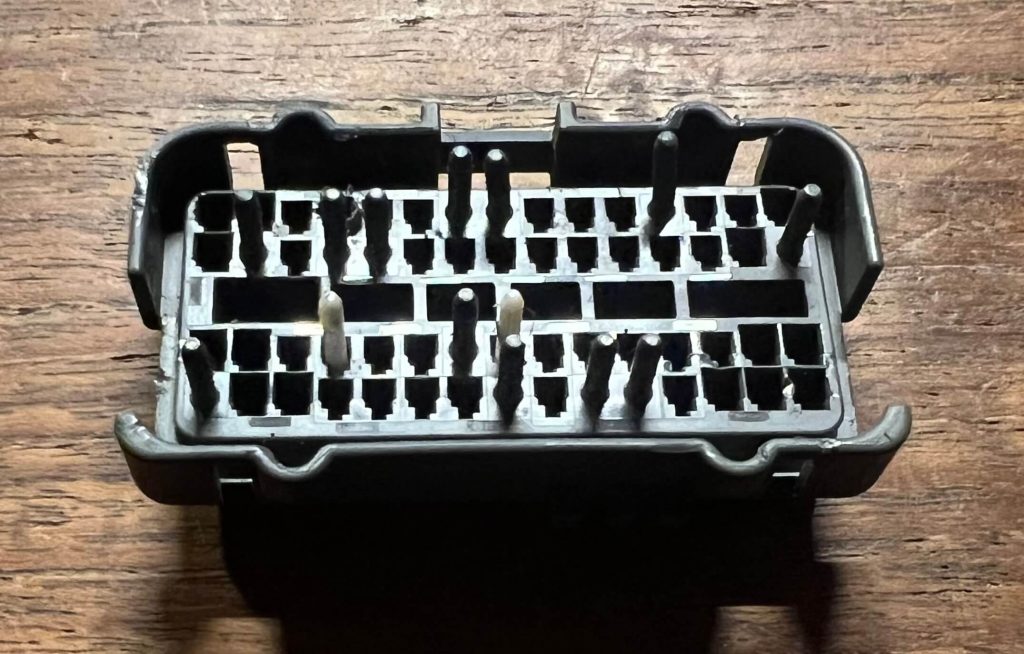
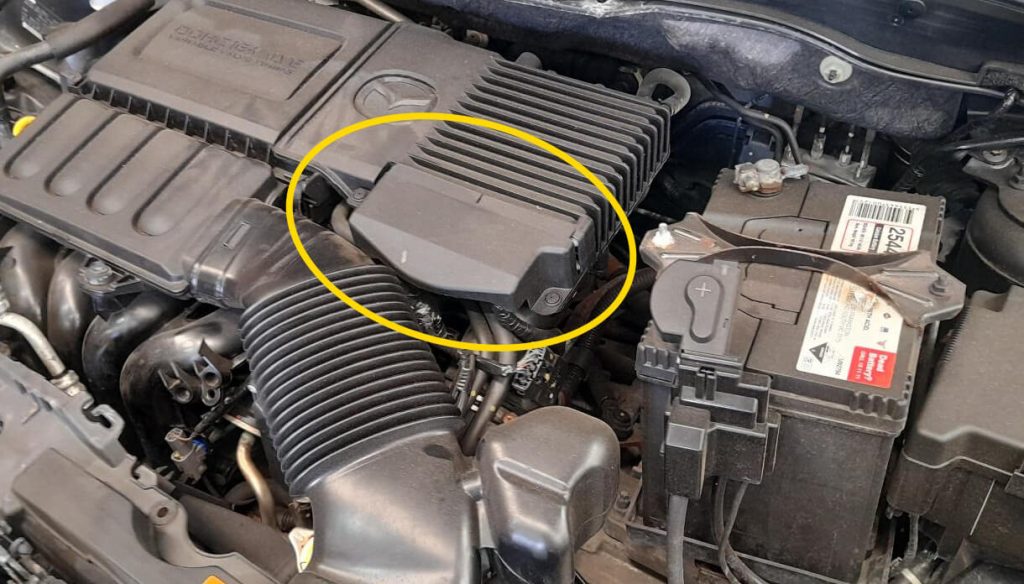
To check whether your car is equipped with cruise control wiring near the ECU, you’ll need to remove the protective cover near the ECU connectors. The ECU is located on top of the engine.
Next, you can check whether the wiring is present in the connector on the right. Usually, one wire is missing next to the black/yellow wire and one behind the green/yellow wire.
Brake switch

You’ll need a 4-pin brake switch. Models from 2010 onward appear to come equipped with one as standard. Earlier models may be equipped with a 2-pin switch, in which case it must also be replaced with a 4-pin one.
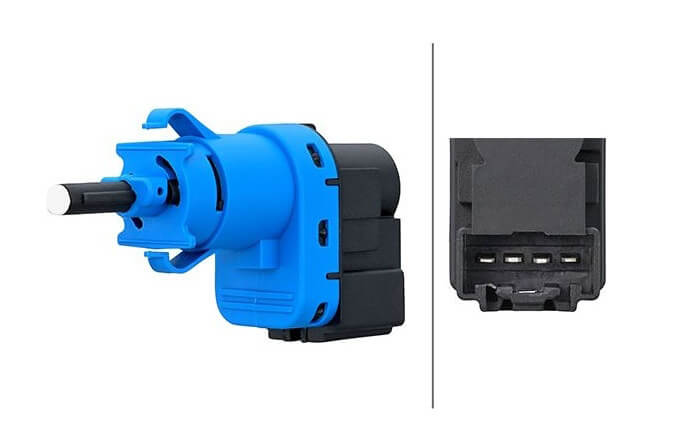
4-pin brake switch for cruise control in Mazda 2

Need help?

If you’re considering cruise control for your Mazda 2 or have any additional questions, you can reach me via the contact page

If this information has been helpful and you’d like to support my work for the MX-5 community, please consider subscribing to the YouTube channel. It costs just a small amount per month. It helps me continue to invest in developing new knowledge and experience that I can then share with you.
You can find more information about that here

Share FacebookWhatsappEmail

Recent comments

    Recent posts

    • Displaying the ambient temperature on the NB1 clock

    • Making Audio Buttons from Mazda Protege Cruise Control Buttons

    • MX5info on YouTube

    • Tired of droopy eyeballs?

    Categories

    • Audio (5)
    • Convenience (7)
    • Lighting (3)
    • News (1)
    • Special (7)

    @2021 - All rights reserved. Developed and designed by TwoImprove. Cookie Policy / Privacy policy

    This website uses cookies to improve your experience. We assume you're okay with this, but you can change your settings if you'd like. Cookie settingsAccept
    Manage consent

    Privacy Overview

    This website uses cookies to improve your experience while you navigate through the website. Out of these, the cookies that are categorized as necessary are stored on your browser as they are essential for the working of basic functionalities of the website. We also use third-party cookies that help us analyze and understand how you use this website. These cookies will be stored in your browser only with your consent. You also have the option to opt-out of these cookies. But opting out of some of these cookies may affect your browsing experience.
    SAVE & ACCEPT

    MX5info
    • Do It Yourself
      • Air conditioning on the NB2 Miata
      • Making Audio Buttons from Mazda Protege Cruise Control Buttons
      • Mazda 6 cruise control for the NA or NB Miata
      • Programming Keys and Remote Controls
      • Tired of droopy eyeballs?
    • Modifications
      • Audio
        • Audio controls on the NB steering wheel
        • Connecting the Wiring for the Rear Speakers in the MX-5 NB/NBFL
        • Speaker Upgrade in the NB2 Wind Deflector
        • Streaming audio and making calls using the stock radio
      • Convenience
        • A dual auto-down function
        • Audio controls on the NB steering wheel
        • Automatically dimming mirror
        • Displaying the ambient temperature on the NB1 clock
      • Lighting
        • LED rings in the taillights—how do you do that?
        • Side marker lights from a previous generation
        • Symmetrical taillights for the NBFL in 2 ways
      • Special
        • A dual auto-down function
        • Air conditioning on the NB2 Miata
        • Automatically dimming mirror
        • Displaying the ambient temperature on the NB1 clock
        • Is the low-fuel light still working?
        • Making Audio Buttons from Mazda Protege Cruise Control Buttons
        • Tired of droopy eyeballs?
    • Cruise Control
      • Cruise Control overview
      • Cruise Control NA Miata
      • Cruise Control NA MX-5
      • Cruise Control NB/NBFL MX-5
      • Cruise Control NC MX-5
      • Cruise Control Mazda 2
      • Cruise Control RX-8
      • Mazda 6 cruise control for the NA or NB Miata
    • MX-5 Fun Facts
      • Special Editions
        • 2002 Memories II
        • 2003 Silver Blues, Twins, Nevada, Classic Edition
        • 2004 Memories III
        • 2004 Murphy & Nye
        • 2005 Impuls
      • Differences Between the NB1 and NB2 Miata and MX-5
      • Why does the battery keep running out?
    • My MX-5s
      • My MX-5 overview
      • My first MX-5
      • Project Lübeck
      • Project Oberhausen
      • Project Schömberg
      • Project Silver Blues
    • About MX5info
      • About me
      • MX5info on YouTube
    • Contact
    • Nederlands