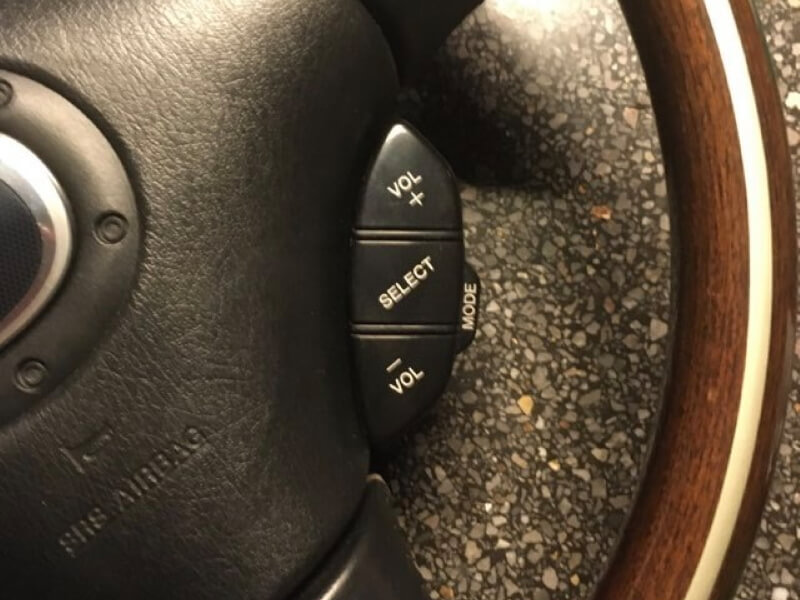
Here’s how to add original Mazda audio controls to the steering wheel of an NB or NBFL.
They were never included on the second-generation MX-5, but they do exist!
Here’s how to add genuine Mazda audio controls to the steering wheel of an NB or NBFL.
People who’ve known me for a while know that I prefer to use genuine Mazda parts for all my upgrades. I do sometimes deviate from that, but only because I think there’s room for improvement compared to the original.
After connecting the Yatour Bluetooth module, I realized there was no easy way to answer an incoming call on the phone. On the other hand, the steering wheel controls on the NC did work. There are a number of buttons on the left side of the steering wheel that let you control the radio. That sounded like something I’d like for my NBFL—but does it even exist?
Max de Jongh (with whom I worked on a project to get the cruise control working on our cars) knew that it was available on other Mazda models from the same period. In fact, there were two types of steering wheel controls that were also used in the NB and NBFL: one for operating the cruise control and one for operating the radio—that is, with audio controls on the steering wheel. A post about the cruise control version gave us an idea of what to expect when mounting the parts to the steering wheel.
We now know that the three-spoke MX-5 steering wheel was also used in certain models of the Mazda 323 FS from around 2000 to 2002. In fact, I once found a set in Spain when an airbag for that model was being sold there.
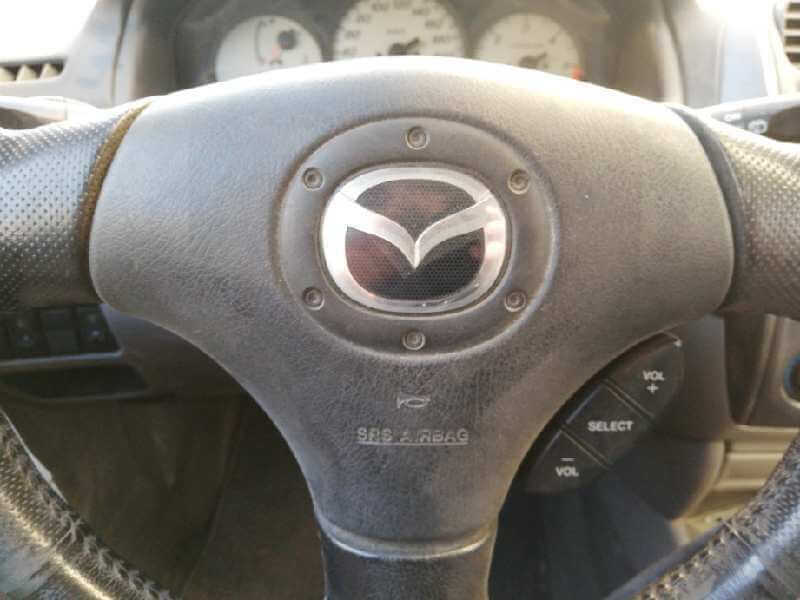
Finding a car with audio controls on the steering wheel is the first challenge. Next, you’ll need to get the steering wheel—or just the relevant parts—into your home. But that’s not all; to get it working, you’ll also need to modify the steering wheel cover, the wiring, and possibly the steering wheel itself. The latter depends on the type of steering wheel your car has. If you have a special edition with a steering wheel made by Nardi, the interior is different from the steering wheels produced by Mazda itself. Special editions with a Nardi interior include the Phoenix, Trilogy, Memories II, Murphy & Nye, Memories III, and the Impuls.
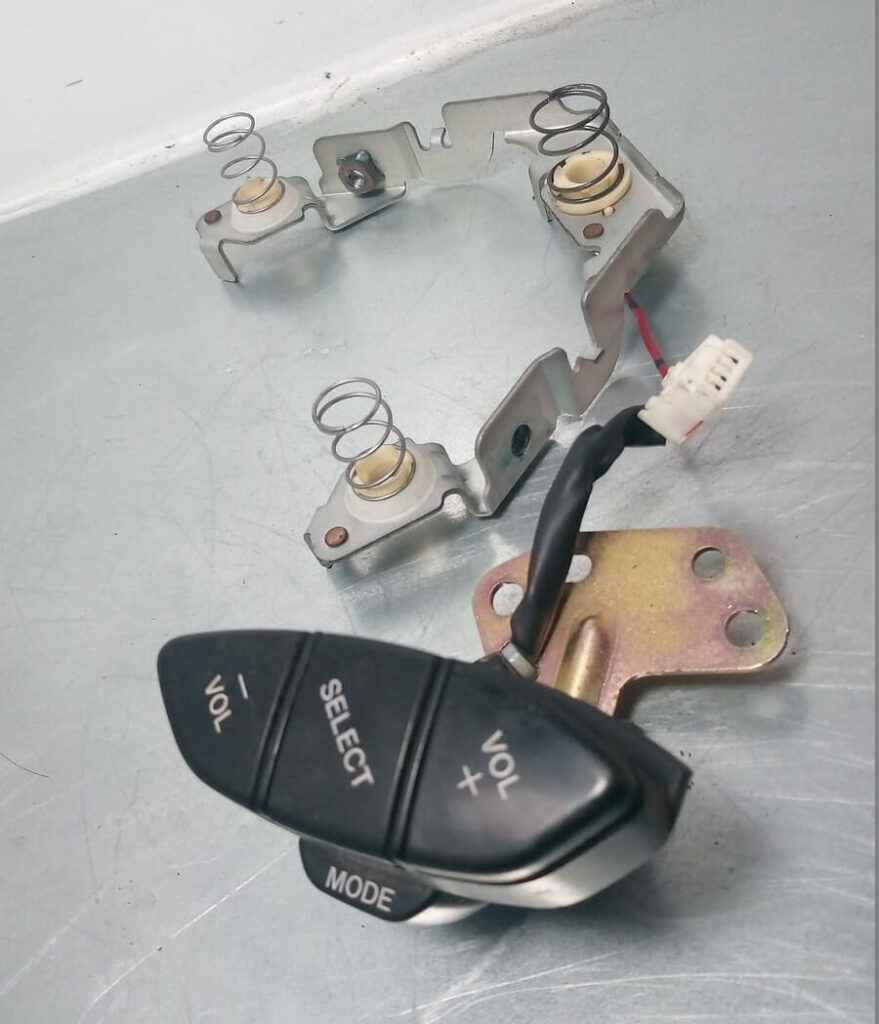
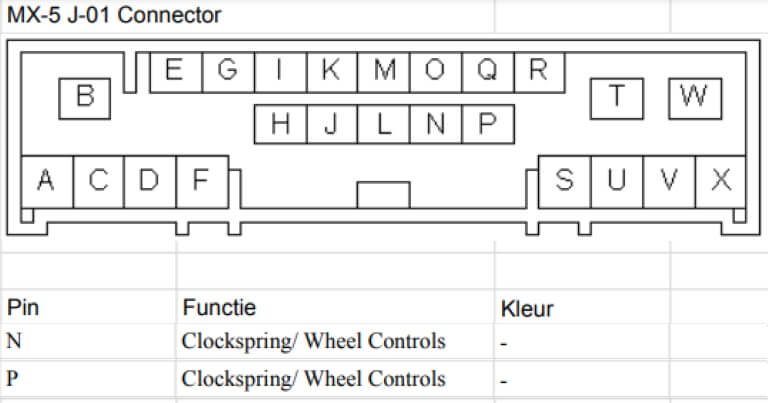
How the audio buttons on the steering wheel connect to the radio depends on the type of radio. I use the original radio myself, and it’s designed for this. Many of the more modern radios also offer connection options, for example via an audio jack, like the ones used for headphones on a laptop or phone. However, the signal from the buttons will first have to pass through the clock spring, which is located behind the steering wheel. That clock spring ensures that the airbag and horn wiring doesn’t get tangled while you’re steering. Two additional wires are required for these audio buttons. The resistance between these wires provides the radio with information about which audio buttons on the steering wheel are pressed and which are not. Two wires must be added to the back of the clock spring and then connected to the radio. The wiring diagram for the stock radio on the NBFL and NC1 shows that we need to use pins N and P for steering wheel controls.
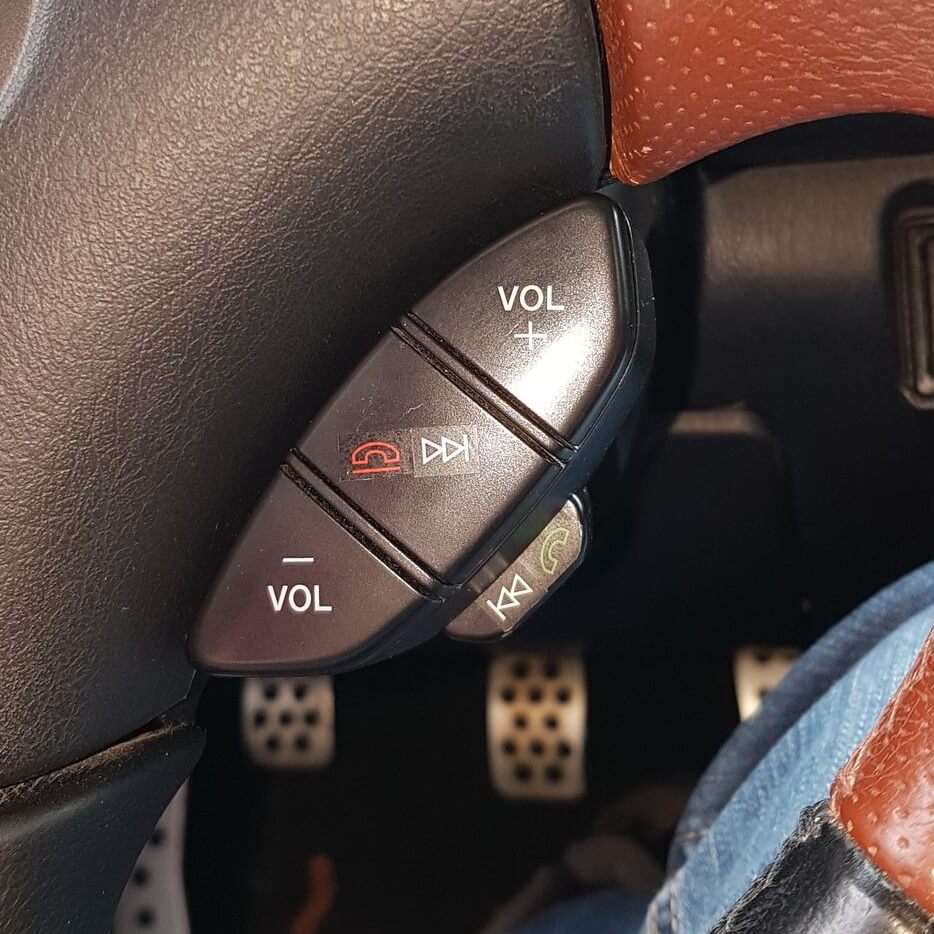
To attach the new parts to the handlebars, I had to make a metal strip and a hole in the cover on the back of the handlebars. Once everything is properly connected mechanically and electrically, you can control the radio and the Yatour Bluetooth module from your handlebars. Volume+ and Volume- are self-explanatory. The Select button lets you skip to the next track or station, or answer the phone when you receive a call. The Mode button switches between the different audio sources—by that I mean the various radio frequencies, the CD, the CD changer, and the input where the Yatour is connected.
Not everyone likes this update with audio controls on the steering wheel, but I do. Of course, everyone is entitled to their own opinion. In my view, this is still exactly what Mazda originally intended; they just forgot back then that it would have been a great addition to an MX-5 as well.
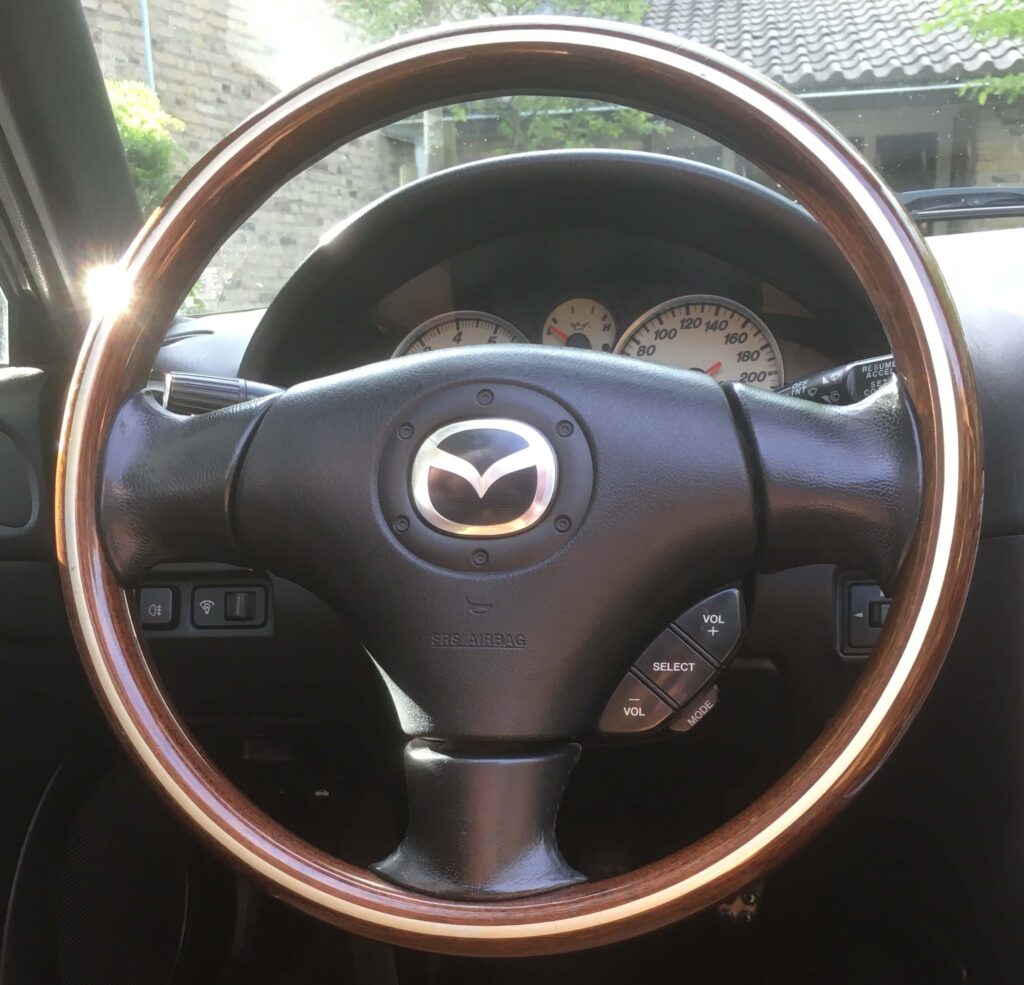
Just a quick note for those interested in the technical details. The resistor between the two wires signals to the radio which audio buttons on the steering wheel have been pressed. These resistors are the same for both the NBFL and NC1 radios. However, the NC has more of them. If you connect the NC’s audio buttons to the NBFL radio, it works just fine, and you’ll have two extra buttons. These are the MUTE button and the button to go to the previous station or track (SEEK-). The resistors the radio expects are listed in the overview below. Incidentally, the Mazda 6 and Mazda RX-8 use the same resistor values.
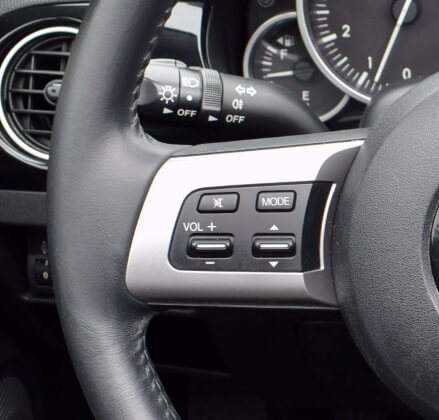
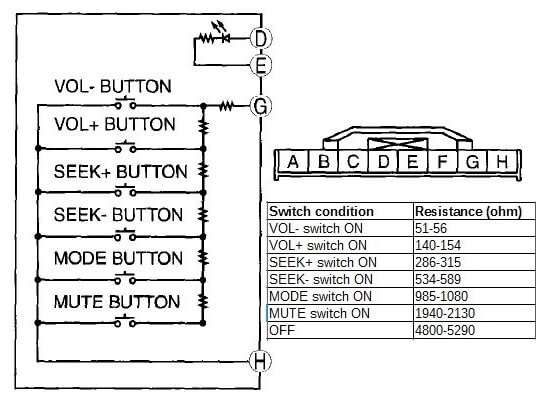
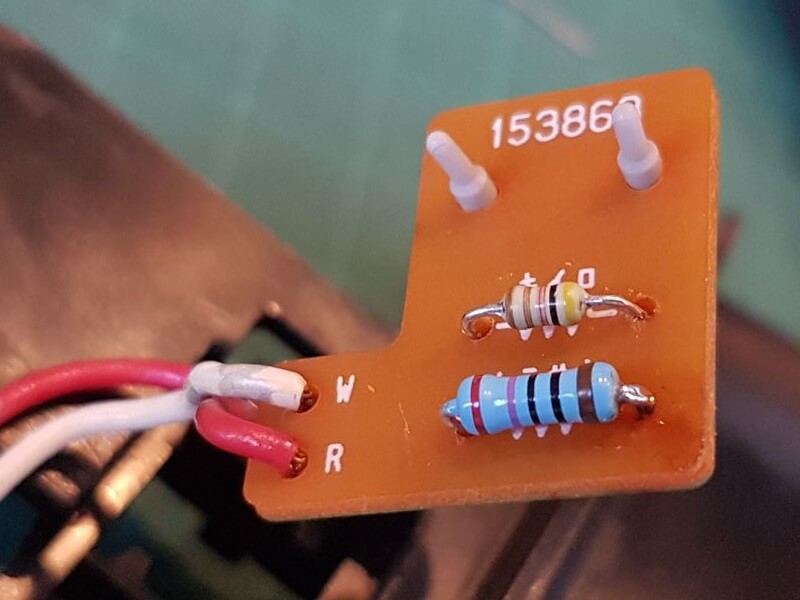
René van der Veen used the resistance values listed above to ensure that he could assign a different function to the MODE button. Instead of a MODE button, he preferred a SEEK button—the button that lets you return to the beginning of the currently playing song or skip to the previous song. Depending on the type of car kit you connect to the original radio, the car kit will also respond to some of these buttons. In this case, SEEK- is used to answer a call, and SEEK+ to end the call.
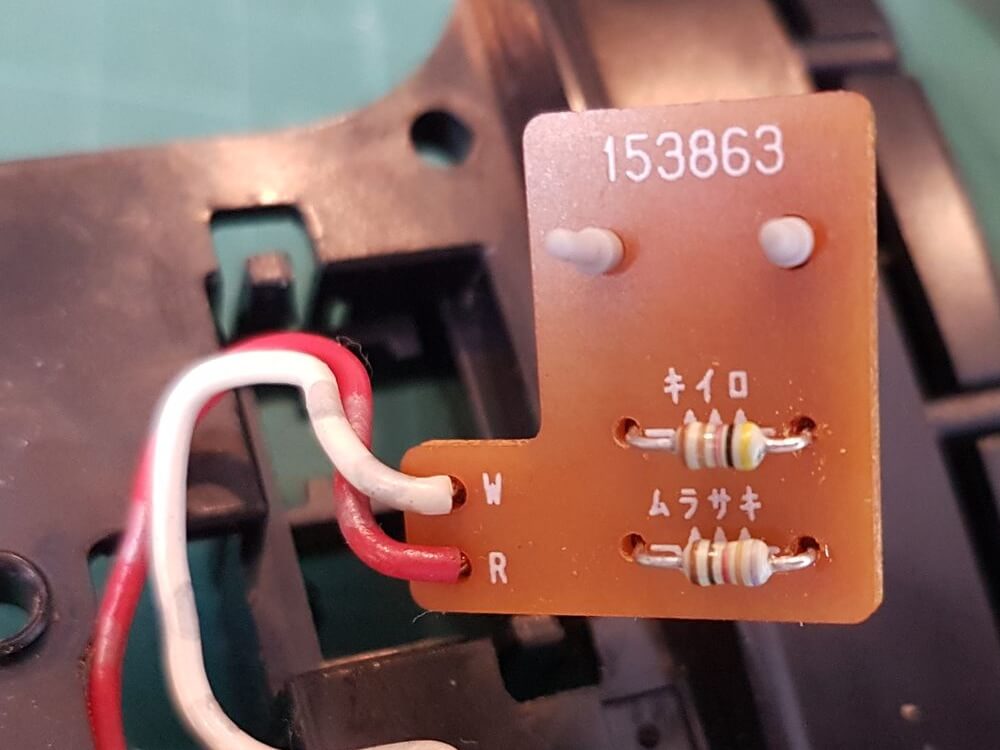
The table of resistance values shows that the values for SEEK are, on average, 461 ohms lower than those for MODE. To lower the resistance value of the MODE button, René replaced a 732-ohm resistor with a 270-ohm one. This brings the resistance value into the range of the SEEK button. The photos show which resistor was replaced (the blue one is the new one) and how the text on the audio buttons on the steering wheel has been replaced by symbols.
If you have any questions, you can reach me through the contact page.